

👨💻 Comparison Table
| Tool | 🤖 AI Model | ⭐ Best For | 💪 Strengths | 👤 Ideal Users |
|---|---|---|---|---|
| 🧠 Claude Code | Claude | Large Codebases | Deep code understanding, refactoring, architecture reviews | Enterprise Developers |
| ⚡ Cursor | Multi-model (Claude, GPT, Gemini) | Full-Stack Development | AI-native IDE, codebase awareness, agent mode | Professional Developers |
| 🔥 Codex | OpenAI Codex | Autonomous Coding | Build features, fix bugs, generate tests | Software Teams |
| 🐙 GitHub Copilot | OpenAI + GitHub | Daily Coding | Real-time code completion, IDE integration | All Developers |
| 🌊 Windsurf | Cascade AI | Agentic Development | Multi-file editing, workflow automation | AI-First Developers |
| ☁️ Amazon Q Developer | Amazon AI | AWS Development | Cloud integration, security scanning | AWS Engineers |
| 🚀 Replit AI | Replit AI | Rapid Prototyping | Browser-based coding, instant deployment | Students & Startups |
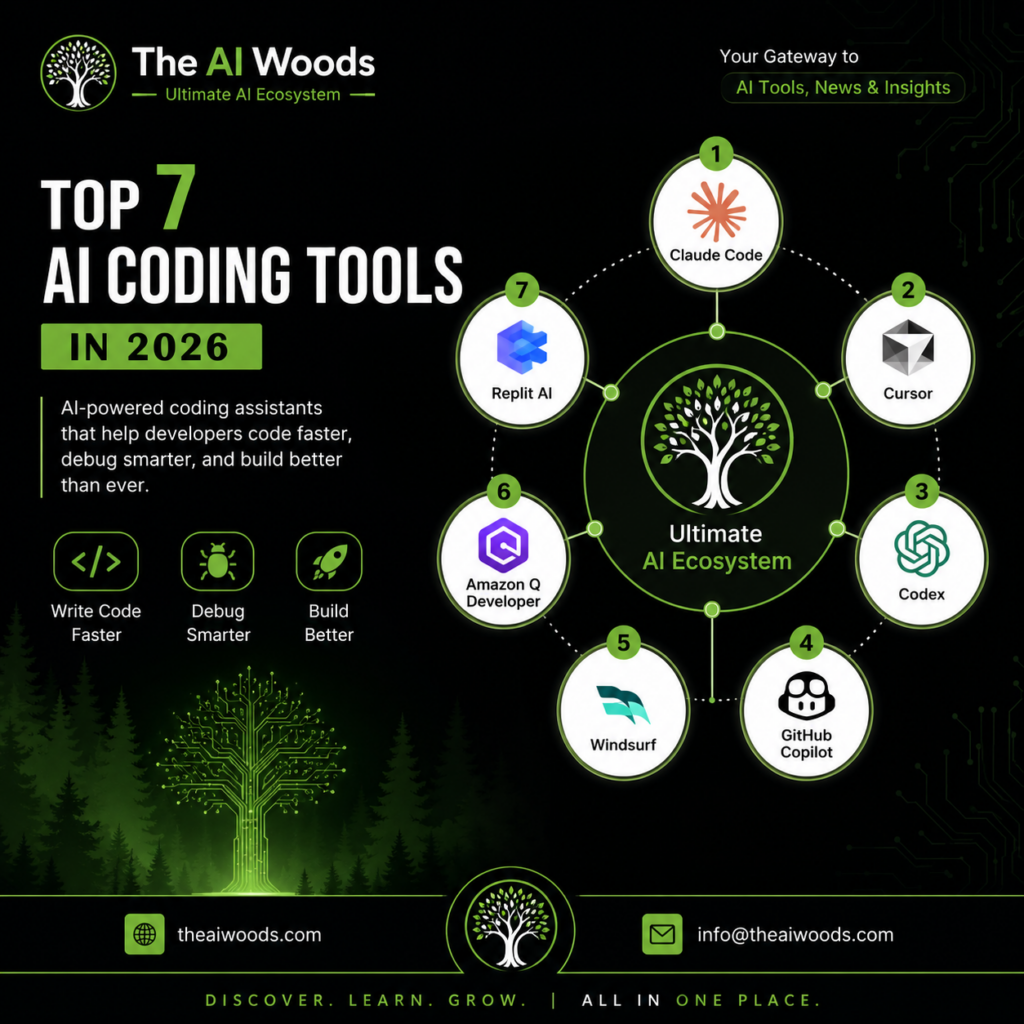
🥇 Claude Code
🧠 Best for: Understanding and modifying large codebases
Key Features
✅ Repository-wide code understanding
✅ Advanced code reviews
✅ Refactoring assistance
✅ Architecture recommendations
✅ Long-context reasoning
Pros
✔ Excellent reasoning
✔ Strong debugging capabilities
✔ Handles large projects effectively
Cons
❌ Not a complete IDE
❌ Learning curve for advanced workflows
🥈 Cursor
⚡ Best for: Professional software development
Key Features
✅ AI-native code editor
✅ Agent Mode
✅ Multi-file editing
✅ Natural language coding
✅ Codebase indexing
Pros
✔ Fastest growing developer tool
✔ Excellent developer experience
✔ Works with multiple AI models
Cons
❌ Paid plans needed for heavy usage
🥉 Codex
🔥 Best for: Autonomous software engineering
Key Features
✅ Feature implementation
✅ Automated bug fixing
✅ Test generation
✅ Repository understanding
✅ Task execution
Pros
✔ High automation level
✔ Reduces repetitive work
✔ Excellent for productivity
Cons
❌ Requires review before deployment
🐙 GitHub Copilot
Best for: Everyday coding assistance
Key Features
✅ Inline code suggestions
✅ Function completion
✅ Chat integration
✅ Pull request assistance
✅ IDE support
Pros
✔ Easy to use
✔ Works in familiar IDEs
✔ Large developer adoption
Cons
❌ Less autonomous than newer AI agents
🌊 Windsurf
Best for: Agentic coding workflows
Key Features
✅ Cascade Agent
✅ Multi-file awareness
✅ Workflow automation
✅ Context understanding
Pros
✔ Modern AI workflow
✔ Strong agent capabilities
Cons
❌ Smaller ecosystem than Cursor
☁️ Amazon Q Developer
Best for: AWS & Cloud Engineering
Key Features
✅ AWS integration
✅ Infrastructure as Code support
✅ Security scanning
✅ Cloud optimization
Pros
✔ Excellent AWS knowledge
✔ Enterprise-focused
Cons
❌ Best value mainly for AWS users
🚀 Replit AI
Best for: Learning and rapid prototyping
Key Features
✅ Browser-based development
✅ Prompt-to-app generation
✅ Instant deployment
✅ Team collaboration
Pros
✔ No setup required
✔ Beginner friendly
Cons
❌ Less powerful for large enterprise projects
📊 Quick Ratings (2026)
| Tool | Code Generation | Debugging | Agent Mode | Large Codebase | Ease of Use |
|---|---|---|---|---|---|
| Claude Code | ⭐⭐⭐⭐⭐ | ⭐⭐⭐⭐⭐ | ⭐⭐⭐⭐ | ⭐⭐⭐⭐⭐ | ⭐⭐⭐⭐ |
| Cursor | ⭐⭐⭐⭐⭐ | ⭐⭐⭐⭐⭐ | ⭐⭐⭐⭐ | ⭐⭐⭐⭐⭐ | ⭐⭐⭐⭐ |
| Codex | ⭐⭐⭐⭐⭐ | ⭐⭐⭐⭐ | ⭐⭐⭐⭐⭐ | ⭐⭐⭐⭐ | ⭐⭐⭐⭐ |
| GitHub Copilot | ⭐⭐⭐⭐ | ⭐⭐⭐⭐ | ⭐⭐⭐⭐ | ⭐⭐⭐⭐ | ⭐⭐⭐⭐⭐ |
| Windsurf | ⭐⭐⭐⭐⭐ | ⭐⭐⭐⭐ | ⭐⭐⭐⭐⭐ | ⭐⭐⭐⭐ | ⭐⭐⭐⭐ |
| Amazon Q Developer | ⭐⭐⭐⭐ | ⭐⭐⭐⭐ | ⭐⭐⭐ | ⭐⭐⭐⭐ | ⭐⭐⭐⭐ |
| Replit AI | ⭐⭐⭐⭐ | ⭐⭐⭐ | ⭐⭐⭐ | ⭐⭐⭐ | ⭐⭐⭐⭐ |
Explore More AI Insights 💰
Visit The AI Woods for:
Learn. Build. Grow with AI. 🚀
⚠️Disclaimer
This article is intended for educational and informational purposes only. AI technologies and market trends change rapidly, and career outcomes vary depending on individual skills, industries, and economic conditions.
The AI Woods does not guarantee specific employment or business output etc.